Loading...
Back to Insights
Project Management • July 2026
Getting Started with Notion for Small Teams
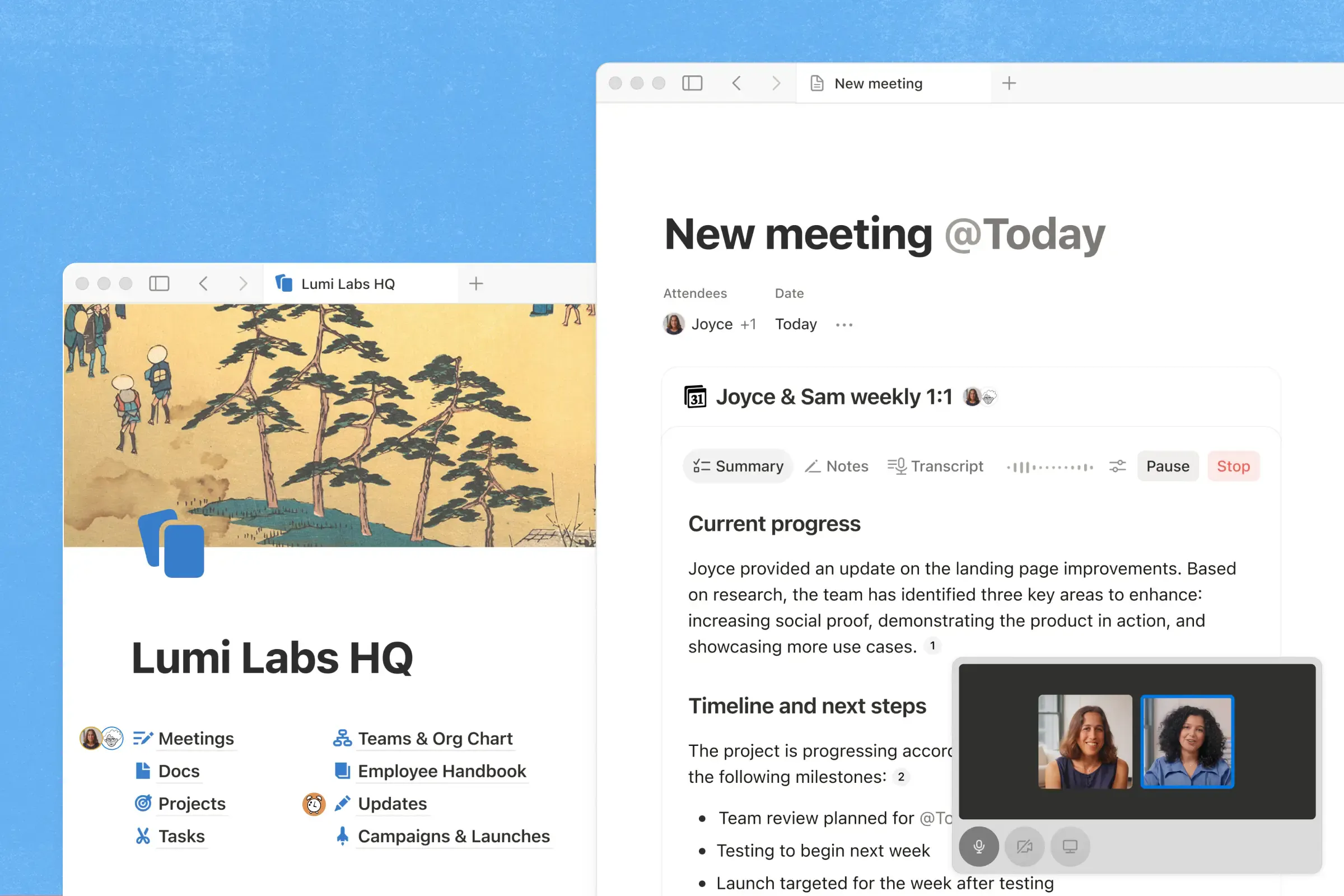
Image by Notion
Introduction
Growing teams often struggle with scattered information across tools, making it hard to find the latest updates. Notion solves this by centralizing documentation, tasks, and project planning in one workspace. This guide explains how to set up a simple, scalable Notion workspace for your team.
Why Notion?
Notion combines multiple productivity tools into one platform, allowing teams to work from a single source of truth instead of switching between apps.
It can be used to:
- Document company knowledge
- Manage projects and tasks
- Track deadlines
- Store meeting notes and resources
- Build internal documentation
For many startups, this reduces the need for multiple separate tools in the early stages.
Core Setup Steps
A basic Notion workspace can be built around a few key components:
1. Home Page
A central dashboard that links to everything important, such as projects, tasks, wiki, and meeting notes. It helps team members quickly navigate the workspace.
2. Projects
A structured database for all active work, including status, owner, priority, and related tasks. This keeps ongoing work organized and visible.
3. Tasks
A task system connected to projects, with properties like assignee, due date, and status. Different views (board, list, calendar) help teams manage work efficiently.
4. Team Wiki
A central knowledge base for company information, including policies, SOPs, FAQs, and documentation. It reduces repeated questions and preserves knowledge.
5. Meeting Notes
A structured space for recording meetings, decisions, and action items, making it easy to track discussions over time.
Keep It Simple
A common mistake is overcomplicating the workspace too early. Teams can avoid:
- Too many databases
- Excessive tags or categories
- Duplicate pages
Start simple and improve gradually as needs grow.
Take Action
Ready to get started? Create your Notion workspace today. Keep it simple—you can always expand as your team grows.
Tracking readership...